Lightforce Sketch
Describe your app. Get a sketch.
Tell us what you want to build in plain words. A few questions later, Sketch writes the blueprint of your app, and a Software Architect signs it before anything is built.
Every Lightforce product starts here.
What is in a sketch
Five parts, in plain words
DomainsThe parts of the app.
JobsWhat each part gets done.
RulesWhat must always hold.
ProcessesHow the work flows.
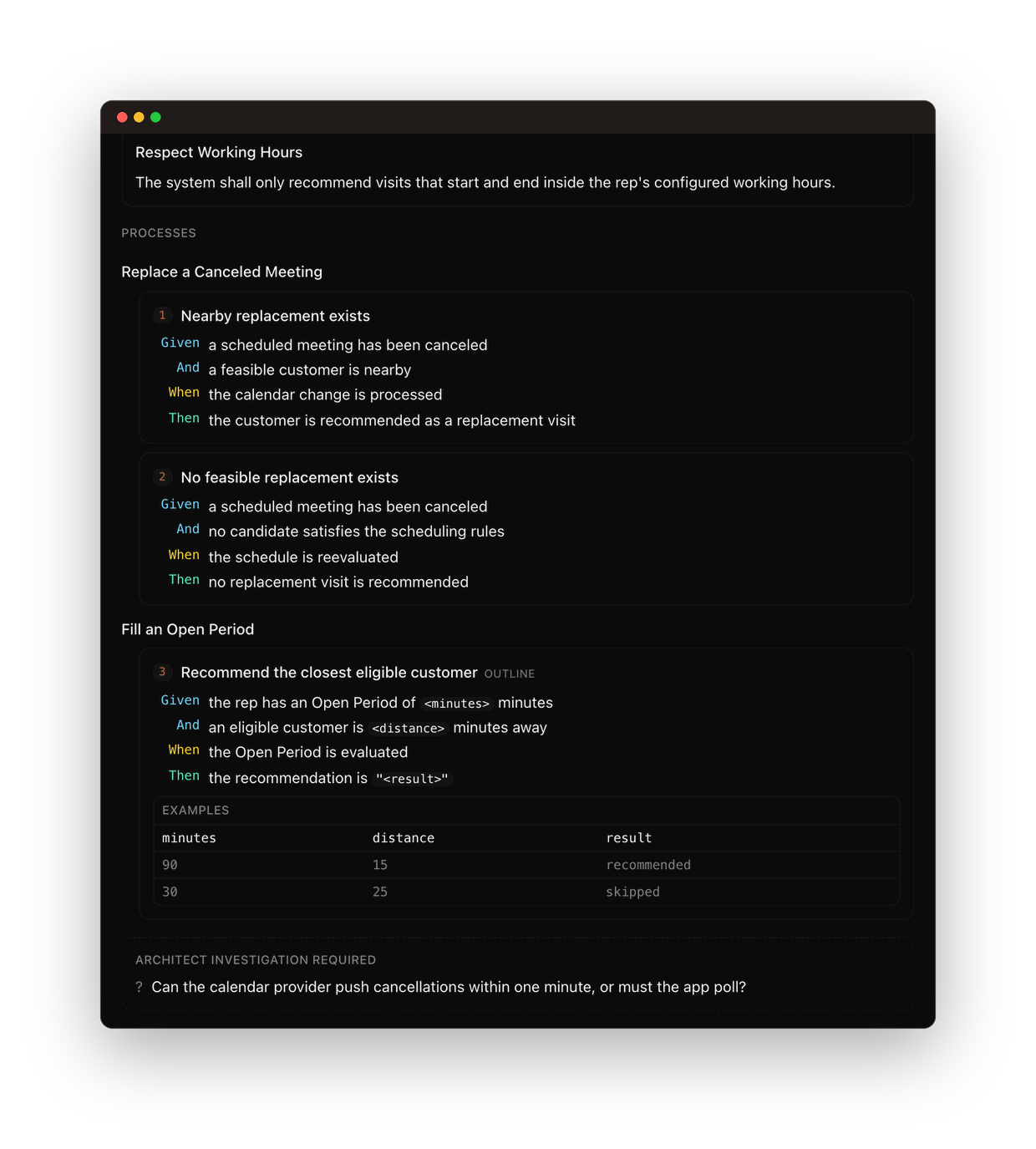
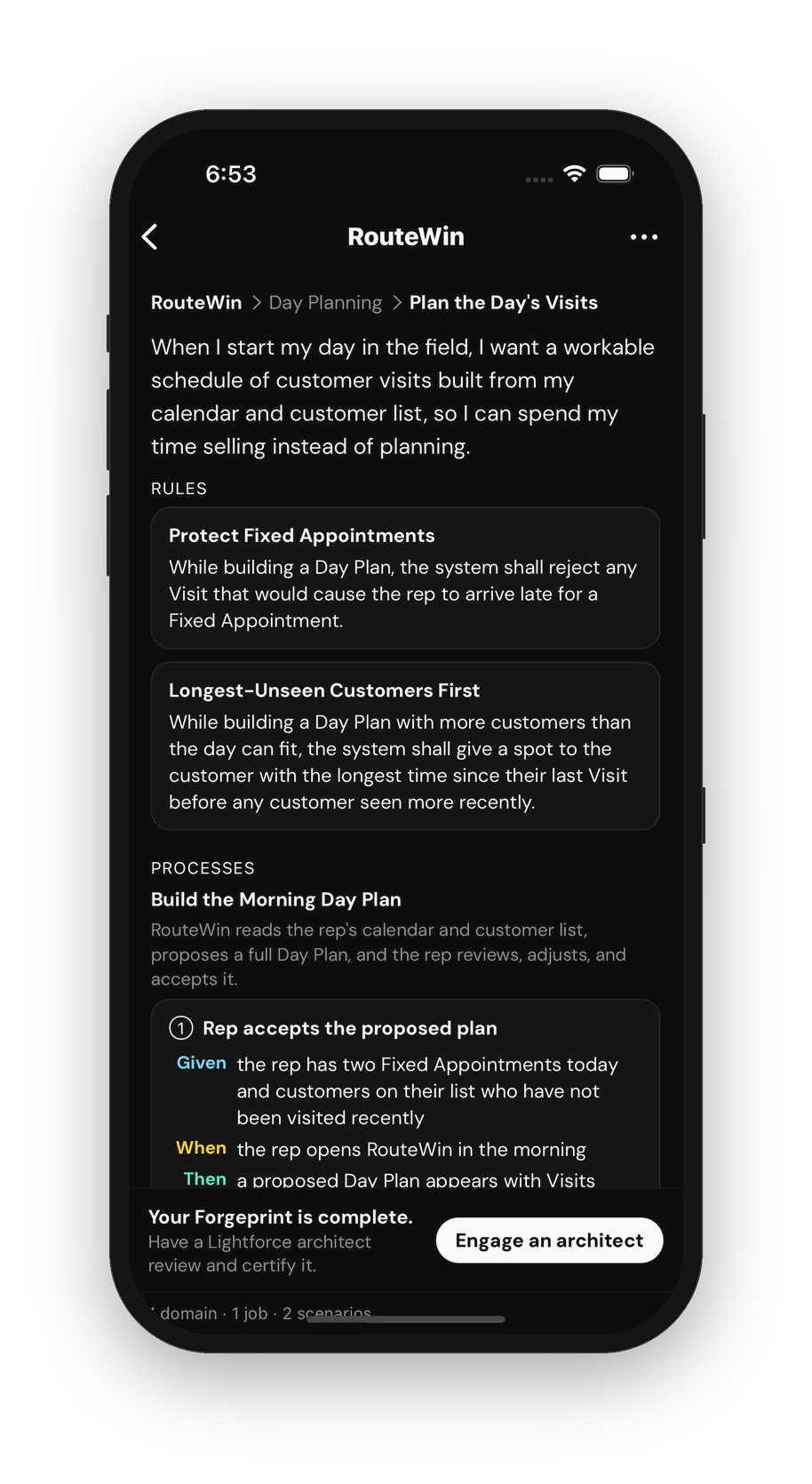
ScenariosWhat a user does and sees, step by step, written GIVEN, WHEN, THEN.
Three levels
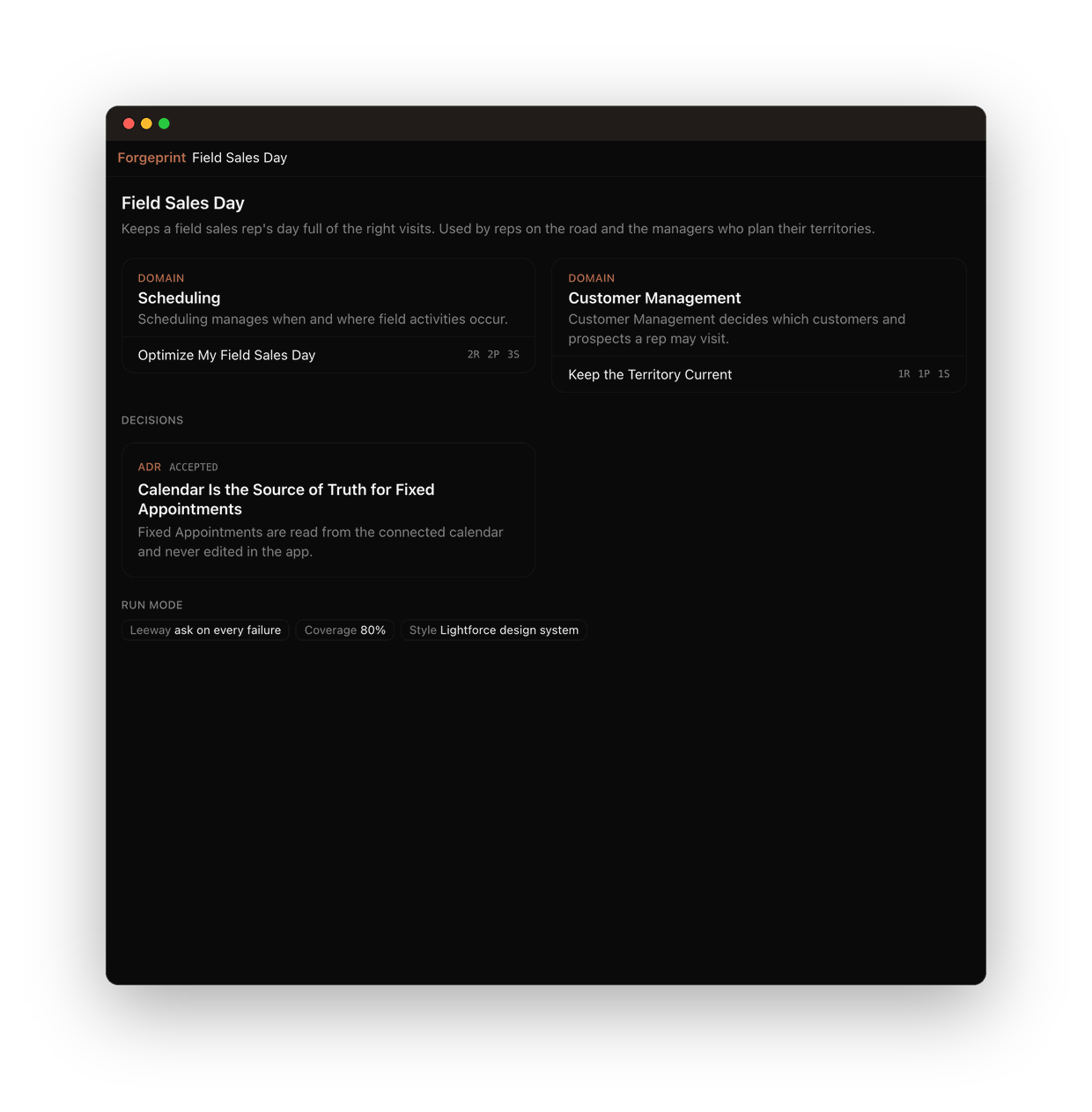
01 · Map: every domain as a tile, with its jobs and counts.
02 · Domain: purpose, language, boundaries, and the jobs as cards.
03 · Job: rules, processes and scenarios, written as GIVEN, WHEN, THEN.
Signed
Signed before anything is built
Every sketch is reviewed and signed by a Lightforce Software Architect. The Architect checks that the rules hold together, flags what needs investigation before money is spent, and only then lets the sketch enter the factory.Portable
Yours, and portable
Your sketch belongs to you. Export it as a PDF, or as markdown with one feature file per job that a test tool can run as written. Take it to any builder or to the coding agent you already use. Lightforce Forge was built to read it.What comes next
Lightforce StudioIn development
Where a sketch becomes a running app on iOS, Android, and web, and where your team keeps building, with an Architect on call.See what's coming →Lightforce ForgeAvailable today
Our factory and the team that runs it. Specialized agents build, inspect, and release against your sketch, directed by an Architect.Explore Forge →